
What Makes a Good Flow Diagram? - ProductFTW #47
Hint: It's not bullet points
As a product manager, I am constantly asked to create flow diagrams or review diagrams from partners. Over time, I have developed a strong sense of what makes a good flow diagram and what makes one confusing and difficult to follow. While I would not go as far as calling myself an expert, I have worked with enough flow diagrams to know what works and what does not.
The whole purpose of a flow diagram is to visually convey a sequence of steps in a way that is easy to understand at a glance. If a flowchart requires too much text to explain itself, it is not doing its job well. A good flow diagram should be clear enough that someone unfamiliar with the process can understand it without needing extensive explanations.
When I create flow diagrams, I follow a few principles to make sure they are readable, logical, and structured in a way that minimizes confusion.
Readability Without Words
The best flow diagrams do not rely heavily on words. If the diagram needs large blocks of text to explain what is happening, it defeats the purpose of having a visual representation of a process.
I use Whimsical as my preferred tool, and one of the first things I consider when creating a diagram is character constraints within a box. In Whimsical, you can fit about 32 characters before a box expands, and I try to stay within that limit. Keeping the text short forces clarity and prevents over-explaining.
If the diagram needs extra context, it should be supplemented by notes outside the flowchart itself, not crammed into individual boxes.
Match How People Read
In North America and most Western countries, people read left to right and top to bottom. A good flow diagram should follow that same natural reading pattern.
- The starting point should be at the top left of the diagram.
- Steps should flow downward and to the right, following a logical progression.
- The final outcome should be at the bottom or rightmost side of the diagram.
I do not use step numbers because numbering takes up space and is unnecessary if the flow is structured correctly. The flow should be obvious without needing to count steps.
Swim Lanes to Define Responsibilities
A messy flow diagram is one where it is unclear who is responsible for what. This is where swim lanes become critical.
Swim lanes help separate different parties, tools, or processes so it is immediately clear where each step belongs. For example:
- If multiple teams or systems are involved, each gets its own swim lane.
- If the flow involves a partner, an internal team, and a customer, swim lanes keep their actions separate.
- If there is a handoff between systems or teams, the transition should be clearly marked with connectors.
Without swim lanes, flow diagrams become harder to read and interpret, especially when dealing with multiple stakeholders.
Minimize Crossing Lines
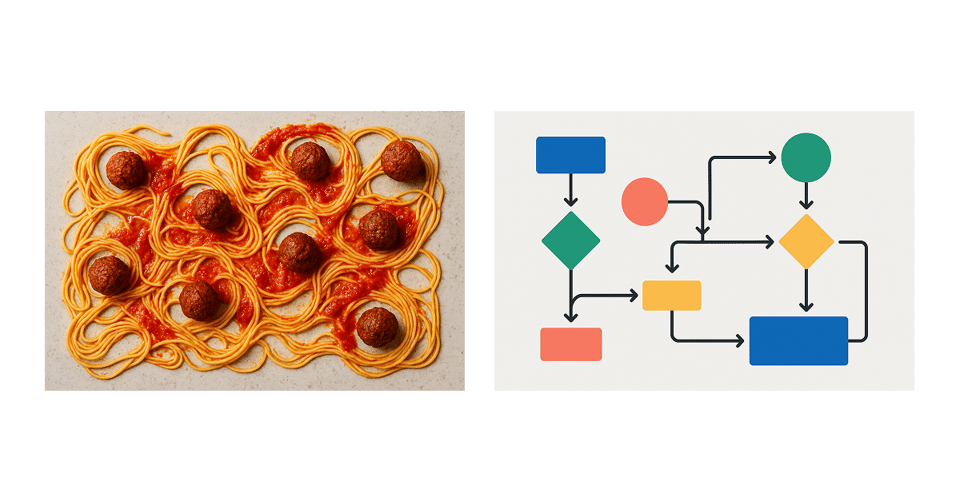
One of my biggest pet peeves in flow diagrams is unnecessary line crossings. A diagram should be structured so that lines do not overlap or intersect whenever possible.
Confusing diagrams usually:
- Have lines crisscrossing everywhere, making it hard to follow the path.
- Do not take the time to reorganize elements for better clarity.
A good diagram takes the time to optimize the layout so that:
- Lines flow smoothly from one step to another.
- Decisions and branches are clearly separated.
- There are minimal back-and-forth jumps.
If a flowchart looks like a spaghetti mess of tangled lines, it needs restructuring. 99% of the time, with a little effort, you can rearrange boxes to avoid crossing lines entirely.
Keep It As Simple As Possible
A flow diagram should not try to capture every single edge case in a process. Its job is to show the core flow and help people understand the big picture.
One of the best ways to keep a diagram simple is to break it up into logical sections. Instead of trying to force everything into a single diagram, consider splitting it into smaller flows.
Happy Path vs. Unhappy Path
A clean way to structure flow diagrams is by separating the happy path from the unhappy path.
- The happy path should show the ideal user journey when everything goes right.
- The unhappy path should focus on edge cases, failures, and error handling.
This separation ensures that people reviewing the diagram can clearly see how success works before diving into failure cases. It also keeps diagrams less cluttered.
Breaking Down Large Processes
- If a process has multiple phases, break it into multiple diagrams instead of cramming everything into one.
- Use high-level flow diagrams for an overview and detailed sub-diagrams for more complex interactions.
Grouping Related Actions Together
- Similar steps should be visually clustered rather than spread all over the place.
- This makes it easier to scan the flow and understand how different actions relate to each other.
A complex diagram that tries to fit everything into one place is harder to maintain, update, and understand. Simpler is always better.
A Flow Diagram Should Work Without Explanation
A well-designed flow diagram should not require someone to explain every part. It should be clear just by looking at it. Next time you're working on a flow diagram, follow these key pointers to ensure you make it great:
- Use as few words as possible.
- Follow natural reading patterns from left to right and top to bottom.
- Use swim lanes to make responsibilities clear.
- Minimize crossed lines for better readability.
- Keep it simple and only show what is necessary.
Taking the time to clean up and structure a flow diagram properly can save teams hours of unnecessary confusion and miscommunication. A bad diagram leaves people with more questions than answers, while a good one makes complex processes easy to understand at a glance.
About ProductFTW
ProductFTW is a weekly newsletter about product management, with a focus on real-life experiences in startups. We want to help product leaders be successful by giving realistic approaches that aren’t for giant tech companies. We know you don’t have a full-time product designer on each team. We know your software probably hasn’t been used by millions of people worldwide–yet. We’re here to bridge the content gap from building your product and team to scaling it.
Part of the Product Requirements Field Guide — ProductFTW's collected essays on the six phases of writing requirements, from problem definition to launch.