
Choosing a Task Management Tool as a Product Manager - ProductFTW #43
We're serious tool people here; you can trust us
If you are a product manager, there is a good chance that at some point in your career, you will be asked to choose a task management tool for your engineering team. I’ve picked task management tools five times, and I can tell you – there’s no perfect choice. Someone will always be unhappy. That’s just reality.
I have tried almost everything, from Asana to Jira to Monday to Linear to Basecamp. Every tool has flaws, and every tool has strengths. The challenge is finding the best option for your team while understanding that no choice will ever be perfect.
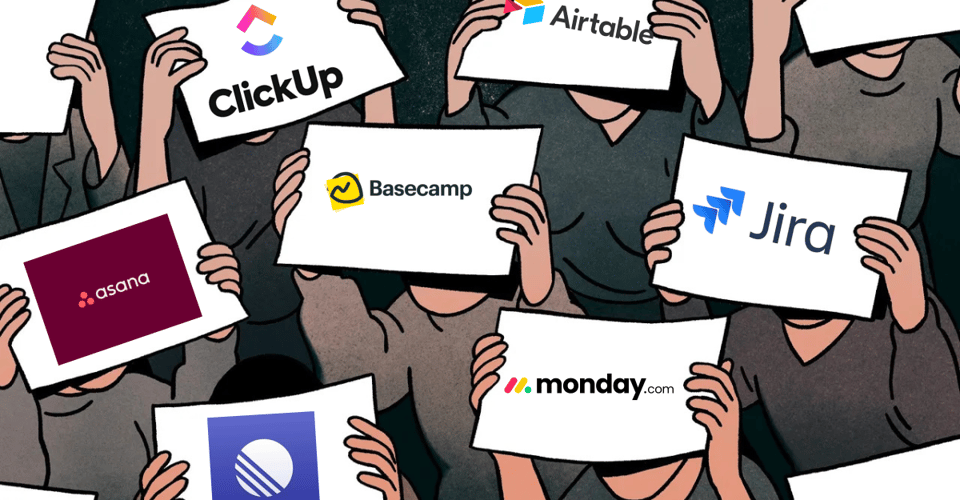
The Spectrum of Task Management Tools
Task management tools exist on a spectrum. Some are highly structured, requiring deep customization to make them work for your team, while others are extremely flexible, allowing you to shape them however you want. Where a tool sits on that spectrum affects how it will work for your team.
At the most structured end, you have Jira. It is designed to handle complex workflows, permissions, and tracking, but it comes with a learning curve. On the other end, you have Asana, which is incredibly flexible and easy to use but lacks the structure needed to enforce consistency across projects. In the middle, you have tools like Monday and Airtable, which lean more toward project management, and then there is Linear, which tries to balance structure with ease of use.
None of these tools are inherently good or bad. They just have different strengths and weaknesses depending on what you need.
How to Evaluate What Your Team Needs
The best way to determine what tool is right for your team is to create a list of must-have features, nice-to-have features, and deal-breakers. Every team works differently, and what is essential for one team may not matter to another.
In the past, when assessing tools, I have gathered input from various stakeholders across product and engineering to compare our needs against different tools. This process helps clarify why one tool meets the majority of our needs, even if it is not perfect. The goal is not to find a tool that everyone loves but to find one that creates the fewest obstacles for the people using it every day.
At the end of the day, the tool is only as strong as the team using it. Even if a tool is perfect on paper, it will fail if people do not adopt it. A less-than-perfect tool can work well if the team understands how to use it effectively.
Jira: Structured but Complex
Jira is often considered the default for engineering teams, and for good reason. It is powerful, scalable, and integrates with almost everything. It provides a structured way to manage tickets, track sprints, and enforce workflows. The problem is that it can feel like it was built for administrators rather than for everyday users.
Jira is flexible, but that flexibility comes at a cost. If you want to customize it to fit your team’s workflow, you will need to spend time learning how Jira works at a deep level. More often than not, teams need a dedicated Jira administrator just to manage security settings, customize workflows, and make sure everything is running smoothly.
That level of complexity makes Jira frustrating, especially for teams that do not have someone dedicated to managing it. Understanding how to modify templates or set up new workflows requires knowing the full history of the product. If you do not know how Jira has evolved over time, making changes can feel like walking through a maze.
Asana: Flexible but Lacks Structure
Asana sits on the other end of the spectrum. It is one of the most user-friendly task management tools, and that is one of its biggest advantages. It has an intuitive UI, allows for infinite nesting of tasks, and makes it easy to create and manage projects. The problem is that Asana is almost too flexible.
Because it does not enforce a specific structure, every team will use Asana differently. Some teams will create a clear system with well-defined processes, while others will end up with scattered tasks and inconsistent workflows. The lack of standardization can become frustrating over time.
Another major issue is that Asana is not great for tracking timing. Unlike project management tools that provide built-in features for tracking timelines and dependencies, Asana makes it difficult to get a high-level view of progress.
Monday and Airtable: Better for Project Management but Awkward for Engineering
Monday and Airtable fall somewhere between Jira and Asana. They offer more structure than Asana but are not as rigid as Jira. They allow teams to track progress, create charts, and manage projects with a level of flexibility that works well for business operations.
The problem is that they do not always feel natural for engineering teams. Monday and Airtable are designed for more general project management rather than software development. Their interfaces make them great for tracking high-level initiatives, but they do not always fit the workflows that engineers are used to.
Linear: A Strong Balance of Structure and Flexibility
Linear is my favorite task management tool at the moment. It strikes a good balance between structure and flexibility. It has a clean UI, a well-designed mobile and desktop app, and a strong developer-first approach. Unlike Jira, it is designed to be fast and intuitive, with hotkeys that make it easy to create and manage tasks without extra effort.
Linear does have its limitations. One of the biggest is that it forces all unfinished sprint tasks into the next sprint cycle rather than letting you complete tasks within the original sprint. If you have a sprint that overlaps due to user acceptance testing or quality assurance, visibility can become difficult. It is also not meant for deep project management, so if you need advanced tracking features, it may not be the best fit.
No Perfect Answer, Just Trade-offs
After selecting task management tools multiple times in my career, I have realized that there is no single right answer. Every tool has flaws. Every tool has strong features. The key is understanding what your team needs and where they fall on the spectrum of structure versus flexibility.
The best way to make a decision is by gathering input from stakeholders, defining the must-haves, and comparing tools against that list. Every time I have evaluated tools, I have done so with the assumption that the primary users would be product and engineering. I have not used every tool, but from my experience, the right choice is the one that best meets the needs of the team while being easy to adopt.
A tool is only as effective as the team using it. The strongest teams are not the ones with the best tools - they are the ones that know how to use their tools effectively.
About ProductFTW
ProductFTW is a weekly newsletter about product management, with a focus on real-life experiences in startups. We want to help product leaders be successful by giving realistic approaches that aren’t for giant tech companies. We know you don’t have a full-time product designer on each team. We know your software probably hasn’t been used by millions of people worldwide–yet. We’re here to bridge the content gap from building your product and team to scaling it.